GraphRAG部署
版本:GraphRAG1.1.1
项目地址:https://github.com/microsoft/graphrag
GraphRAG 支持的 python 版本:3.10-3.14
一、安装GraphRAG
- Git 安装 / 直接下载解压即可
git clone https://github.com/microsoft/graphrag.git- 安装依赖
cd graphrag

pip install .- 初始化
graphrag init --root ./ragtest- 使用本地模型需要修改配置文件(graphrag/tagtest/):
settings.yml 文件:
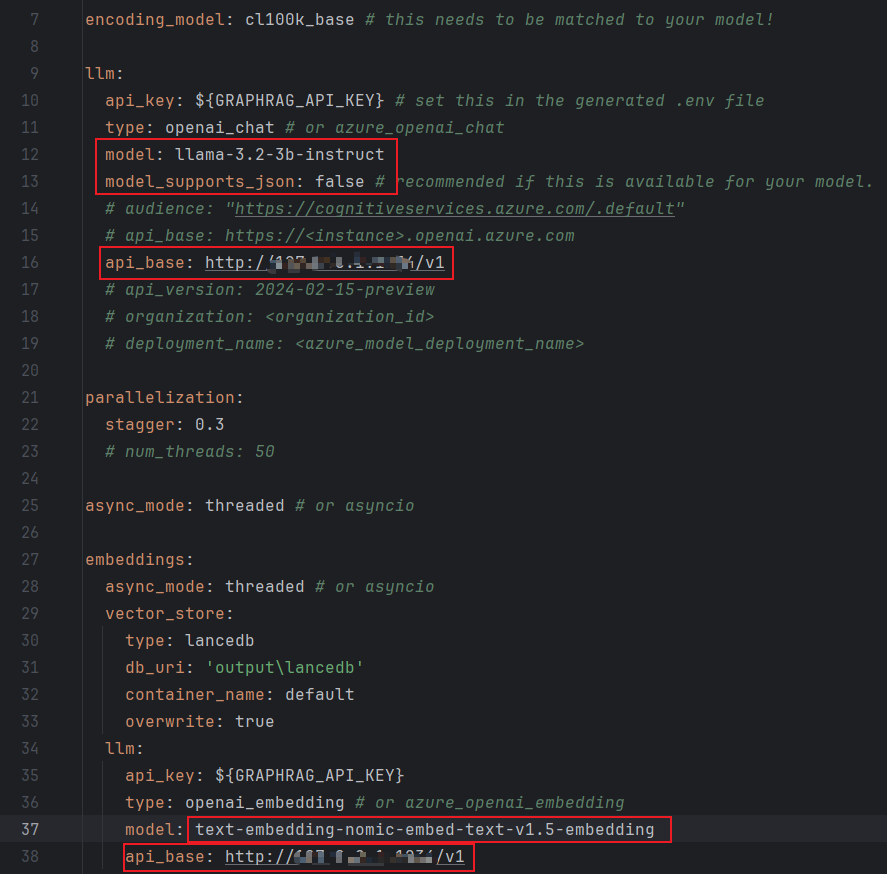
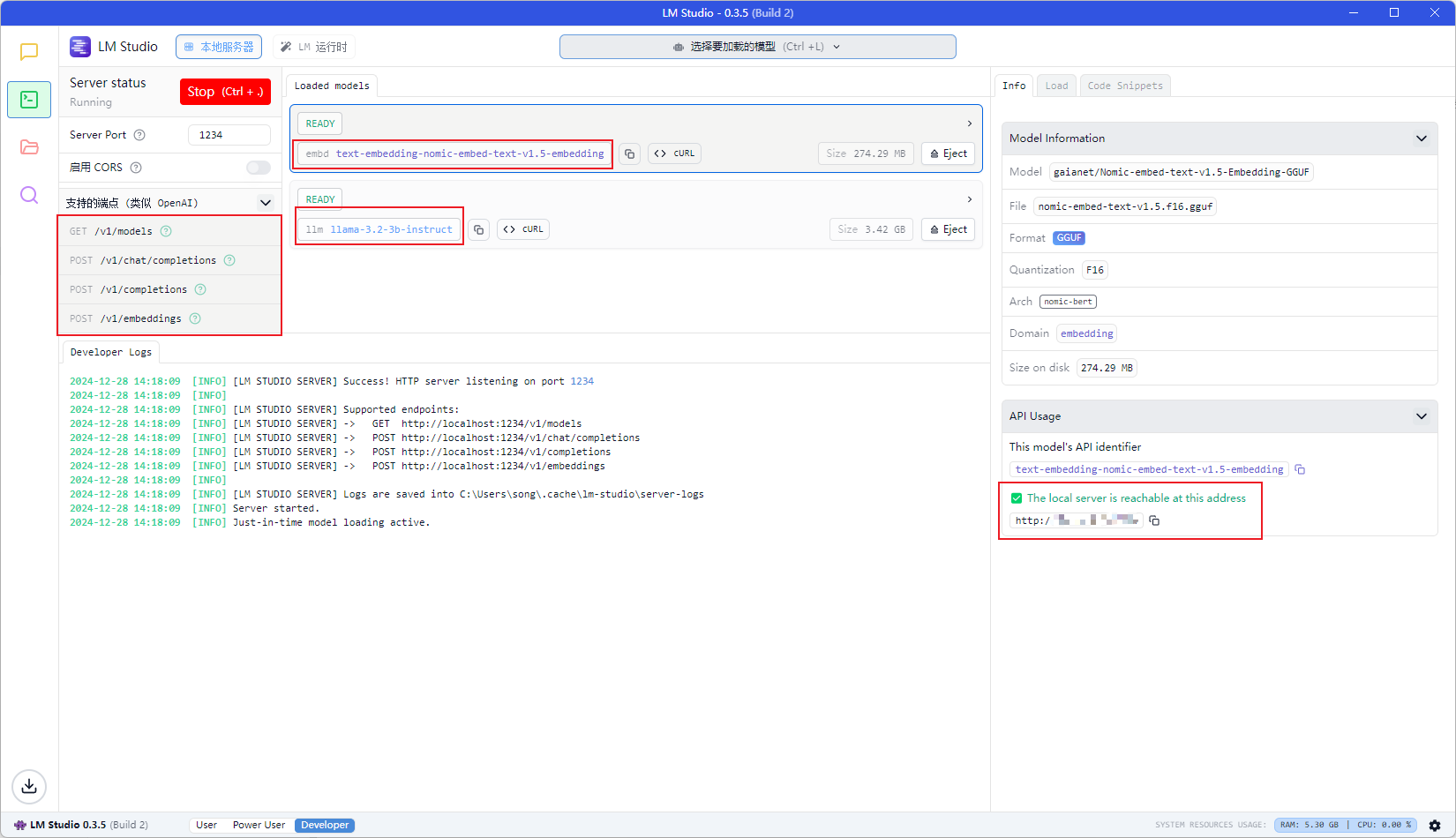
.env 文件
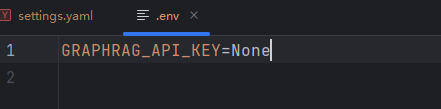
- 创建索引
graphrag index --root ./ragtest二、检索
- 本地检索
graphrag query \
    --root ./ragtest \
    --method local \
    --query "your question"

or

graphrag query --root ./ragtest --method local --query "your question"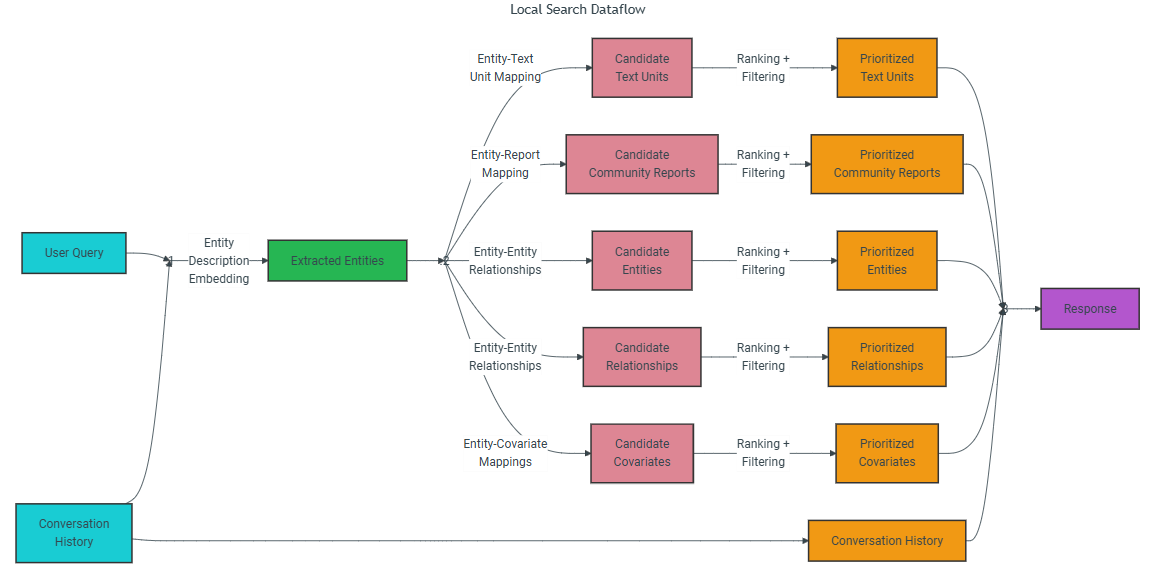
本地搜索方法从知识图中识别与用户输入语义相关的实体集合。这些实体充当知识图的访问点,从而能够提取更多相关细节,例如连接的实体、关系、实体协变量和社区报告。此外,它还从与所识别的实体相关联的原始输入文档中提取相关的文本块。然后,这些候选数据源被优先化并过滤以适合预定义大小的单个上下文窗口,该窗口用于生成对用户查询的响应。
- 全局搜索
graphrag query \
  --root ./ragtest \
  --method global \
  --query "your question"

or

graphrag query --root ./ragtest --method global --query "your question" 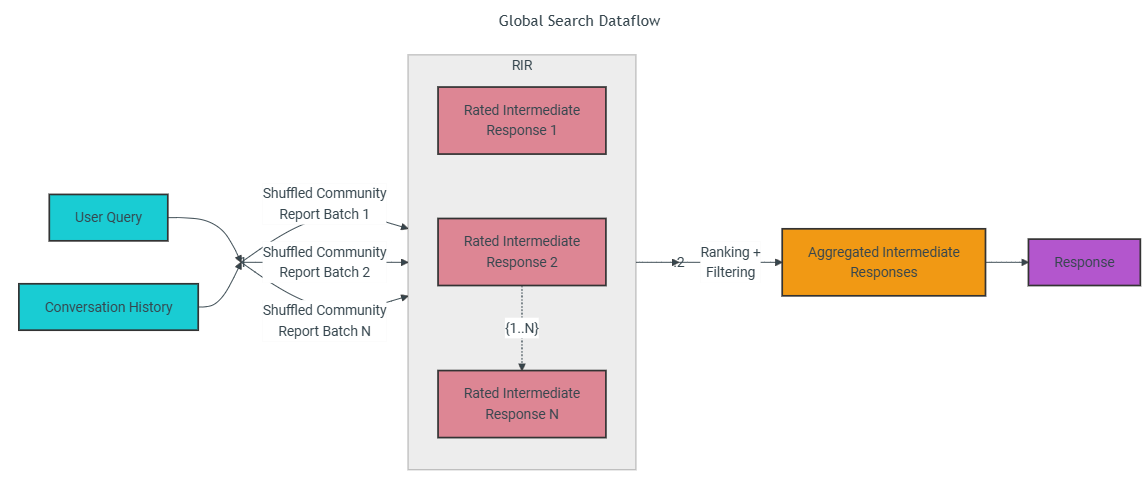
全局搜索方法使用来自图的社区层次结构的指定级别的LLM生成的社区报告的集合作为上下文数据,以映射缩减方式生成响应。在map步骤中,社区报告被分割成预定义大小的文本块。然后,每个文本块用于产生包含点列表的中间响应,每个点都伴随着指示点重要性的数字评级。在reduce步骤中,来自中间响应的最重要点的过滤集合被聚合并用作上下文以生成最终响应。
- drift 检索(结合了本地检索和全局检索)
graphrag query \
--root ./ragtest \
--method drift \
--query "your question"
or
graphrag query --root ./ragtest --method drift --query "your question" 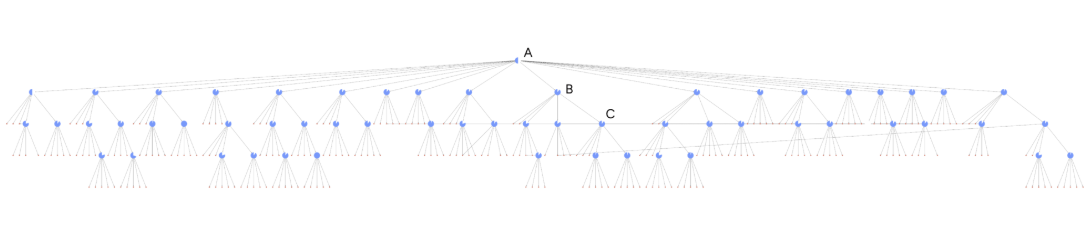 一个完整的DRIFT搜索层次结构,突出了DRIFT搜索过程的三个核心阶段。A (Primer):DRIFT将用户的查询与前K个语义最相关的社区报告进行比较,生成一个广泛的初始答案和后续问题,以引导进一步的探索。B (Follow-Up):DRIFT使用本地搜索来细化查询,产生额外的中间答案和后续问题,以增强特异性,引导引擎获得上下文丰富的信息。图中每个节点上的标记显示了算法继续查询扩展步骤的置信度。C (Output Hierarchy):最终产出是按相关性排列的问题和答案的层次结构,反映了全球见解和地方改进的平衡组合,使结果具有适应性和全面性。
三、更新
update
graphrag update \
      --config PATH \                    # Path to your configuration file
      --root PATH \                      # Project root directory (defaults to current directory '.')
      --verbose \                        # Enable verbose logging (default is --no-verbose)
      --memprofile \                     # Enable memory profiling (default is --no-memprofile)
      --logger [rich|print|none] \       # Choose logger type (default is 'rich')
      --cache \                          # Use LLM cache (default is --cache)
      --skip-validation \                # Skip preflight validation (default is --no-skip-validation)
      --output PATH                      # Directory for output (overrides storage.base_dir in config)
graphrag update --config ragtest/settings.yaml --root . --verbose --memprofile --logger print --cache --skip-validation --output ragtest/output四、常见问题
- 目前最新版本(2.0 及以上,可能还要再低一点)使用本地模型只支持 OpenAI 兼容接口,不支持 Ollama 本地部署以及推理模型。
- 1.0 版本不支持 Ollama 嵌入模型,嵌入模型需要使用其他方式。
评论